
Google has decided Gemini doesn’t need Gems anymore. It needs Skills. Fortunately, users aren’t being asked to rebuild every customized assistant by hand, although a few familiar features haven’t made it into the new system yet.
Starting November 17, 2026, Google will begin automatically converting existing Gems into Skills for personal accounts. Custom instructions and supported reference files should survive, but some tools and sharing features aren’t fully supported.
Skills also work differently. Instead of opening a separate customized assistant, you can apply saved instructions inside regular Gemini conversations.
That sounds convenient, particularly if you’ve spent months teaching a Gem to format reports without turning every paragraph into a motivational speech.
Still, preserving your instructions and preserving your entire workflow are two different things.
In this article
What Happens to Your Gemini Gems on November 17?
View this post on Instagram
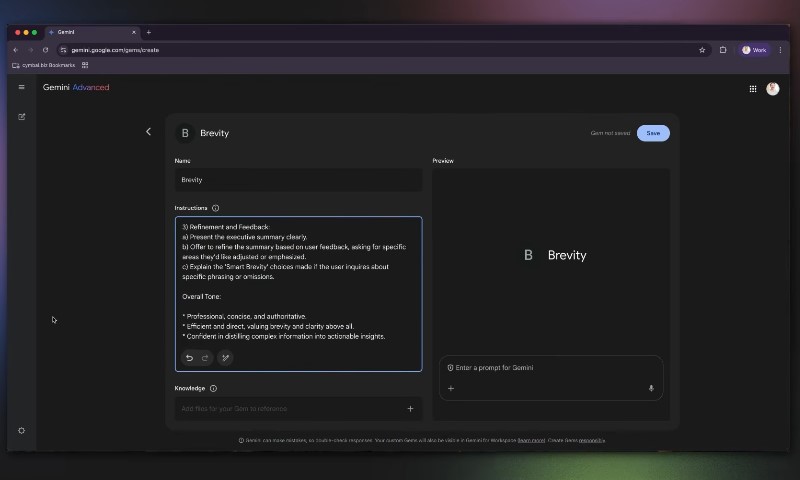
Introduced in 2024, Gemini Gems let users create customized versions of Google’s AI assistant. You could give a Gem specific instructions, attach reference material, and reuse that configuration for recurring tasks.
A Gem designed to edit technical documentation, for example, might follow established terminology, formatting requirements, and editorial rules without needing a detailed prompt every time.
Conversion happens automatically, so there’s no requirement to recreate every assistant manually.
However, automatic migration doesn’t guarantee identical behavior. A Gem might retain its instructions while losing access to a particular tool that made those instructions useful.
That’s the distinction worth checking before celebrating a successful move.
What Carries Over From Gems to Skills?
Most users should retain the parts of their Gems that took the longest to configure: instructions and supported reference material.
Your Custom Instructions and Supported Files
Google plans to transfer existing Gem instructions into the Skills system automatically.
Supported knowledge files are also included in the migration. Skills already accept common reference materials, including text files, PDFs, and images.
Consider a Gem configured to write monthly project reports using company terminology, specific headings, and a reference document containing reporting rules.
After migration, its instructions and supported files should still be available through the resulting Skill.
However, GitHub files aren’t currently supported in Skills. Users relying on that connection should prepare an alternative.
Manual migration also works differently. Anyone recreating a Gem before automatic conversion must download its knowledge files individually, although multiple downloaded files can then be uploaded to a Skill together.
What You Can Still Use Your Customized Assistants For
Instruction-based workflows are generally the strongest candidates for a smooth transition.
Common examples include:
- Applying consistent writing styles and formatting rules.
- Turning meeting notes into structured summaries.
- Drafting recurring reports using established templates.
- Following brand guidelines and editorial requirements.
- Organizing research notes and preparing routine documents.
Consider a Gem that converts rough meeting notes into a project update with separate sections for decisions, deadlines, and assigned responsibilities.
Its instructions should translate naturally into a Skill because the central task relies on reusable prompts.
A Gem configured to run Deep Research, however, faces a different problem. Its instructions might transfer successfully, but the associated research capability isn’t currently supported inside Skills.
In other words, your customized assistant can arrive safely while one of its favorite tools misses the flight.
What Doesn’t Carry Over or Doesn’t Work Yet?
Users with elaborate Gem configurations should pay particularly close attention to tool compatibility.
Some Gemini Tools Aren’t Supported in Skills Yet
Google currently identifies five Gem capabilities that aren’t supported as default tools in Skills.
These restrictions don’t mean Google is eliminating the individual features across Gemini. They concern using those capabilities through Skills.
A customized writing assistant that depends on Canvas, for example, may need a different workflow after migration.
Similarly, a Gem configured around Deep Research shouldn’t be expected to perform the same research process simply because its instructions transfer.
Skills can use certain connected apps, including Workspace integrations, but access to connected apps doesn’t automatically provide access to every specialized Gemini tool.
Sharing and Reference Files Have Some Loose Ends
Sharing is another area worth checking.
Google says Skill sharing, Google Drive reference files, and Gemini Notebook support are planned. At the time of the announcement, those capabilities weren’t fully available.
Anyone using shared Gems should therefore avoid assuming existing sharing links will continue working unchanged.
Experimental Gems created by Google Labs also won’t migrate. Google’s Opal mini-app experiment is scheduled to shut down during the November transition.
Chat history changes, too.
Gems offered dedicated areas for conversations associated with particular customized assistants. Skills work inside regular Gemini chats, so conversations using them appear in the standard chat history instead.
Existing conversations aren’t necessarily deleted, but users shouldn’t expect a separate Skill history that reproduces the old Gem interface.
Skills Can Do Things Gems Couldn’t
Google’s replacement introduces several improvements that could make customized instructions considerably easier to use.
Use Skills Inside Regular Gemini Chats
With Gems, users generally selected a particular customized assistant before starting their task.
Skills remove that extra step.
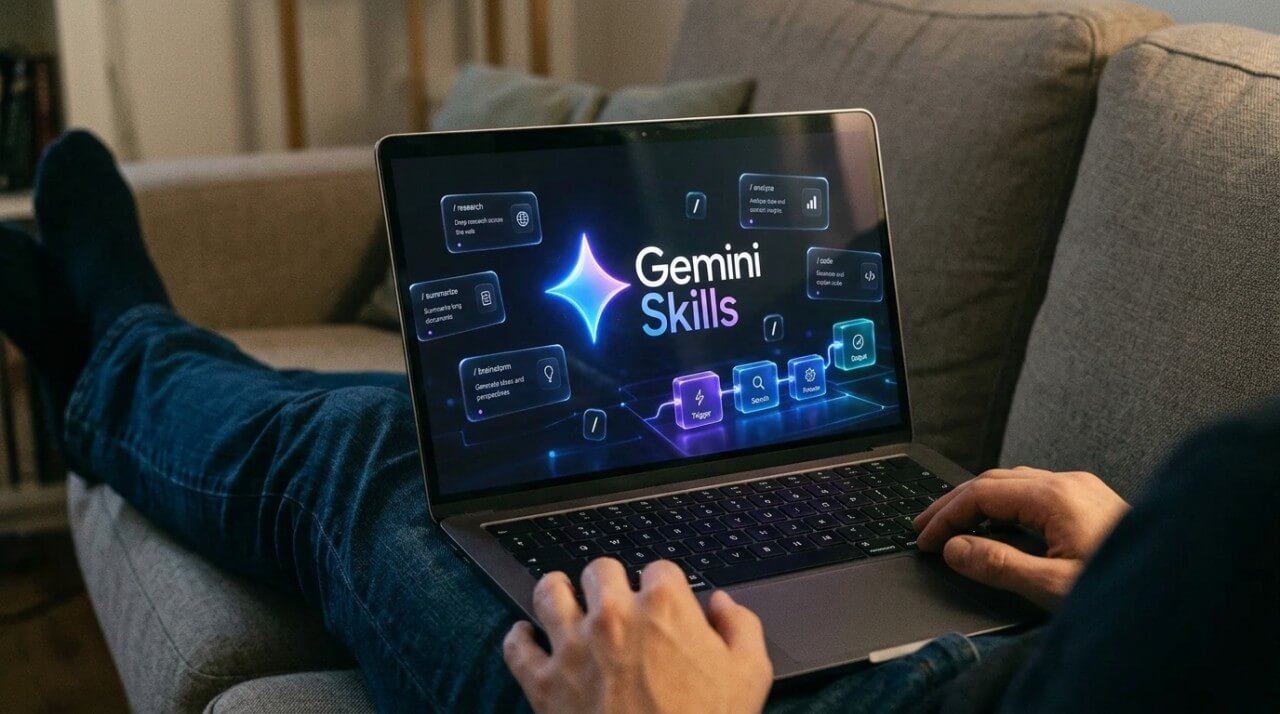
Typing / in the Gemini prompt field lets users select an available Skill. Google also plans support for @ in updated interfaces.
More importantly, Gemini can recognize a relevant Skill and apply it automatically.
Imagine having a Skill that formats technical explanations for beginners. Instead of opening a dedicated assistant, you could ask Gemini a technical question in an ordinary conversation and have the Skill apply its instructions when appropriate.
Automatic selection is useful, but explicitly choosing a Skill is sensible when a task requires a particular format or set of rules.
Combine Multiple Skills for More Complex Tasks
Another improvement is stacking, which allows several Skills to work together on one task.
Imagine editing a newsletter using two instruction sets.
One Skill contains writing-style rules, including preferred sentence length, terminology, and formatting. Another contains company brand guidelines, such as approved product names and communication requirements.
Instead of building a separate Gem containing both sets of instructions, you can combine the two Skills.
Google’s September 2026 Workspace announcement also describes Skills as using the open, Markdown-based SKILL.md standard.
That creates opportunities to import compatible Skills built for other AI platforms, although platform-specific tools and integrations may still need adjustments.
One distinction matters here: a Skill is a reusable set of instructions and supporting resources. It isn’t automatically an independent AI agent with unrestricted access to external systems.
Combining three Skills doesn’t magically grant Gemini three additional superpowers.
Who Can Use Gemini Skills, and Do You Need to Pay?
A new feature isn’t particularly useful if you need to upgrade your subscription just to open it.
Fortunately, Google’s current eligibility rules are less restrictive than some early reports suggested.
Free Users Aren’t Necessarily Left Behind
According to Google’s Skills documentation, regular Gemini Skills don’t require a paid Google AI subscription for eligible personal accounts.
Earlier reports associated Skills with paid subscriptions because the feature initially appeared within Gemini Spark.
That distinction matters because access to Skills in ordinary conversations isn’t the same as access to every premium Gemini feature.
Advanced tasks, scheduled workflows, and certain automation capabilities may still require qualifying subscriptions.
Availability is also expanding gradually. An eligible account might not display every Skills feature immediately.
Age and Privacy Settings Could Be Sticking Points
Current Skills requirements include two important conditions:
- Users must be at least 18 years old.
- Gemini’s Keep Activity setting must be enabled.
Gems have supported eligible users aged 13 and older in certain countries.
Google hasn’t fully explained how existing Gems belonging to younger users will be handled during migration.
Keep Activity presents another concern.
Someone who deliberately disabled activity retention for privacy reasons may need to reconsider that setting before using Skills.
Enabling Keep Activity changes how Gemini activity is saved and managed, so users should review Google’s privacy controls rather than treating the requirement as an insignificant setup step.
An automatically converted Gem doesn’t necessarily guarantee that its owner can immediately use the resulting Skill.
When Will Gemini Gems Disappear From Work and School Accounts?
Google has established separate retirement schedules depending on account type.
| Google account type | Planned Gems retirement |
| Personal Google accounts | November 2026, with migration beginning November 17 |
| Workspace business, enterprise, and nonprofit | No earlier than March 1, 2027 |
| Workspace education | No earlier than June 1, 2027 |
These dates concern the retirement of Gems, not necessarily the first availability of Skills.
For Workspace customers, Google began rolling out Skills in October 2026, allowing organizations additional preparation time.
Another technical detail deserves attention: Skills created in the Gemini app don’t automatically appear in Workspace applications.
Organizations that need the same instructions in both environments may have to recreate their Skills separately.
Existing Workspace Studio workflows using the Ask a Gem step also need attention. Google says those steps will stop working when Gem support ends for the relevant accounts.
For teams relying on shared assistants, the transition is therefore more than a change in the interface.
Is Switching From Gems to Skills Actually an Upgrade?
For users who mainly rely on customized writing instructions, formatting rules, and reference documents, Skills look like a practical improvement.
Being able to apply instructions inside existing conversations is convenient. Combining multiple Skills also reduces the need to create several nearly identical assistants for slightly different tasks.
However, users relying on specialized tools, shared configurations, or complicated integrations have more to verify.
Google has confirmed automatic conversion and several useful new capabilities. It hasn’t established that every migrated workflow will behave exactly as it did under Gems.
My recommendation is to treat the transition as a compatibility check, not simply an interface update.
Your Gems aren’t being thrown away. They’re being rebuilt into something more flexible. Just check that Google remembered to bring the tools your favorite ones actually need.