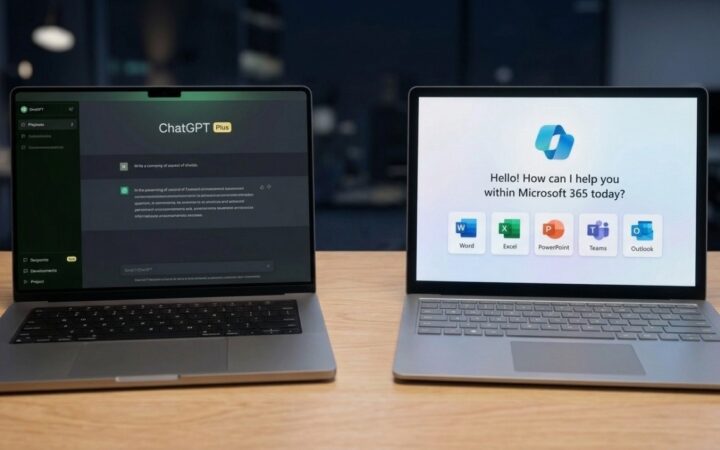


ChatGPT Go costs $8 a month. ChatGPT Plus costs $20. Somewhere inside that $12 difference is a collection of extra features that might save you hours of work, or sit completely unused while you ask ChatGPT to rewrite another awkward email.
Both subscriptions can write, summarize, analyze files, generate images, and help with coding.
Paying more doesn’t automatically make every answer smarter.
What matters is the type of work you’re asking ChatGPT to handle.
For everyday prompts, Go is probably enough. For complicated research, demanding coding projects, and frequent data analysis, Plus has considerably more to offer.
Let me show you the ropes of these two.
In this article
ChatGPT Go vs Plus – What Does the Extra $12 Buy?

At US prices, ChatGPT Go costs $96 annually, compared with $240 for Plus. That makes Plus $144 more expensive per year, assuming you subscribe for 12 months. According to OpenAI’s official pricing information, Go provides expanded access to everyday ChatGPT capabilities, while Plus adds advanced reasoning options, larger tool allowances, and broader access to specialized features.
One important distinction concerns reasoning models. Standard AI responses generally prioritize answering promptly.
Advanced reasoning modes can allocate additional computation to working through:
- Complicated instructions
- Checking intermediate steps
- Solving problems that require multiple decisions
Extra processing can improve difficult answers, although it doesn’t guarantee accuracy.
Here’s how the subscriptions compare as of October 2026:
Plus: Included
Plus: Expanded access
Plus: Higher usage allowances
Plus: Expanded access
Plus: Expanded access
Plus: Expanded access
Plus: Ad-free
Annual costs assume 12 monthly payments. Visual indicators are illustrative and do not represent official usage limits. Pricing and feature availability may vary by region.Available models, usage allowances, and individual features can change. Actual access also depends on the account and ongoing product rollouts.
Plus is clearly the more capable subscription on paper. Figuring out if those capabilities matter is a different question.
Go Is Probably Enough for Everyday Writing and Summaries
Most people don’t need an advanced reasoning model to write a polite email.
A 2023 study published in Science offers some perspective. Researchers assigned professional writing tasks to 453 college-educated participants and found that access to ChatGPT reduced completion time by 40% while improving output quality by 18%.
Apparently, getting an AI assistant to handle the first pass can be genuinely useful.
However, the experiment didn’t compare ChatGPT Go with Plus. It demonstrated the benefits of AI-assisted writing, not the benefits of a more expensive subscription.
Consider a typical office task. Someone hands ChatGPT five disorganized meeting notes containing unfinished sentences, contradictory instructions, and a reminder that nobody should mention the budget until Friday.
A useful comparison would ask both subscriptions to produce a follow-up email and extract the action items.
Accuracy matters more than elegance. Imagine the notes contain these details:
- Sarah will prepare the presentation.
- Tuesday’s deadline has been moved to Thursday.
- Budget approval is still pending.
- Marketing cannot publish anything until approval arrives.
Both subscriptions should be capable of organizing that information into a readable message.
More importantly, neither should invent a budget decision, resurrect Tuesday’s canceled deadline, or quietly assign Sarah responsibilities nobody discussed.
Go already provides capable writing and summarization tools, so Plus isn’t automatically necessary for this kind of task.
If both plans can turn five terrible bullet points into a decent email, paying another $12 for slightly more enthusiastic punctuation seems unnecessary.
Complicated instructions change the calculation.
A 60-page document containing conflicting requirements, technical terminology, and multiple revisions may benefit more noticeably from advanced reasoning and greater tool allowances.
Even then, reviewing the output is essential. For routine writing, rewriting, brainstorming, and short summaries, Go is the more economical starting point.
Paying for Plus makes more sense when document complexity or workload creates recurring problems.
Where Plus Starts Earning Its Price
Research exposes differences that ordinary writing prompts might never reveal.
Asking ChatGPT to explain a scientific concept is relatively straightforward. Asking it to compare competing studies, investigate contradictory evidence, and produce a report with verifiable citations requires substantially more work.
Go supports ordinary web searches and limited access to more involved research tools.
Plus provides expanded research access and advanced reasoning capabilities, making it better equipped for demanding investigations.
A revealing comparison would involve researching how different countries regulate AI-generated advertising.
Both subscriptions would receive identical instructions to identify current regulations, distinguish proposed legislation from enacted laws, and cite official government documents.
Useful evaluation criteria would include factual accuracy, citation quality, treatment of conflicting information, and the amount of manual verification required.
A report containing 20 citations looks impressive until you discover that three don’t support their claims and another discusses an entirely different subject.
A 2025 study examining references generated by ChatGPT-4 and ChatGPT o1 found that only 60.4% of 303 references were accurate. Among 451 citations, just 22.2% qualified as highly relevant.
That’s a particularly useful distinction.
Finding a real academic paper is one thing. Finding a paper that actually supports your argument is another.
Researchers tested older models in a specific academic writing task, so those percentages shouldn’t be treated as current accuracy rates for Go or Plus.
Citation quantity is not research quality.
Plus may have an advantage because its additional reasoning and research capabilities support more substantial investigations. However, neither subscription guarantees that every source will be relevant or every conclusion justified.
OpenAI’s own February 2025 evaluation provides a useful reality check. Its original advanced research model achieved 26.6% accuracy on Humanity’s Last Exam, a demanding assessment covering more than 3,000 expert-level questions across over 100 subjects.
That was a substantial improvement over several earlier models, but hardly a reason to retire the fact-checker.
Newer research systems have since arrived, so the figure shouldn’t be mistaken for the performance of today’s Plus subscription. It does, however, show why access to more advanced research technology isn’t the same as guaranteed accuracy.
Does Plus Handle Tougher Tasks Better?
Practical work often reveals subscription differences more clearly than a feature comparison.
All three categories below are available in some form on Go. Plus primarily offers stronger capabilities, broader tool access, or additional usage capacity.
Spreadsheets and File Analysis
Go can upload spreadsheets, run calculations, and help identify patterns in data.
For anyone already paying for Microsoft 365, another comparison is worth making. Copilot works directly in Excel and other Office apps, while ChatGPT offers more flexible file analysis and research.
Want to see how ChatGPT handles spreadsheet tasks in practice? Watch this quick demonstration.
Consider an illustrative sales report containing 12,000 transactions.
Some customers appear twice, dates use inconsistent formats, and missing entries complicate monthly revenue calculations.
A proper analysis should identify duplicate transactions, standardize dates, flag missing values, and explain how those problems affect the results.
Spreadsheet problems can get considerably messier than adding a column of sales figures. In 2024, researchers introduced SpreadsheetBench, a benchmark containing 912 real problems collected through Excel discussion forums.
Many involved complicated tables, unusual layouts, and operations requiring several steps. Evaluations revealed a substantial gap between the tested AI models and human performance.
Apparently, real spreadsheets have an impressive ability to resist clean demonstrations.
For Go and Plus users, the practical lesson is similar. Advanced reasoning may help with complicated analysis, but neither subscription should be trusted to quietly repair a financial spreadsheet without verification.
Coding and Debugging
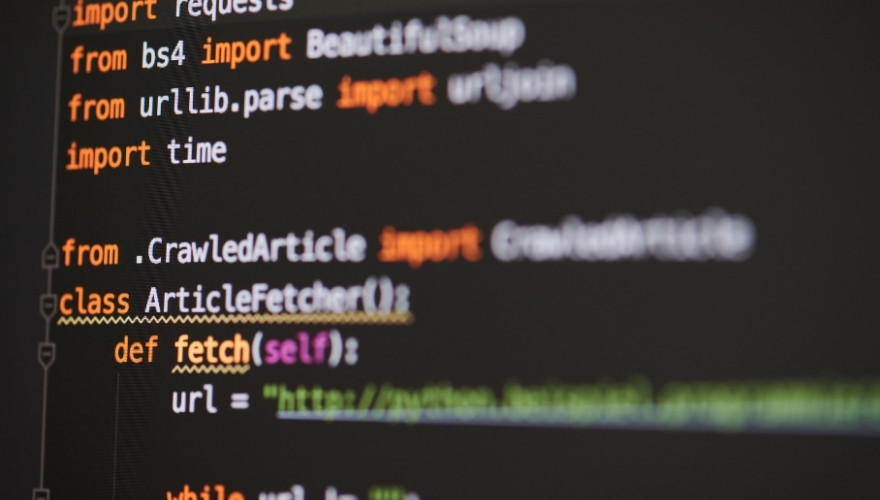
Both plans provide access to Codex, OpenAI’s coding agent, although Codex availability and limits vary by subscription.
Go offers limited access, while Plus supports expanded usage and additional coding capabilities. Someone learning Python or debugging a short JavaScript function may find Go perfectly adequate.
Consider a script that fails because a variable has the wrong name. Identifying that error doesn’t necessarily justify a more expensive subscription.
A project involving multiple files is different. AI coding assistance doesn’t always make experienced developers faster.
In a 2025 experiment involving 16 developers and 246 real programming tasks, researchers at METR found that access to AI tools increased completion times by 19%. Even more interesting, participants believed AI was making them faster.
A February 2026 follow-up suggested newer systems might perform better, although researchers couldn’t establish a reliable improvement because of limitations in the updated experiment.
For complex projects, generating code quickly is only part of the job. Developers still need to inspect changes, understand dependencies, run tests, and occasionally explain to an AI assistant why its brilliant fix has broken three unrelated functions.
Image Generation
Both plans support AI image generation.
Plus offers expanded image creation and more capable options for complicated visual instructions.
A useful comparison would involve creating a promotional graphic featuring a specific headline, three products, and clearly defined spacing.
Success should be measured by instruction accuracy, readable text, consistent layout, and the number of revisions required.
For an occasional social media graphic, Go may do everything necessary.
For someone producing promotional materials every day, additional image capabilities and fewer interruptions could justify the higher subscription cost.
Neither plan replaces checking spelling, visual details, or brand requirements before publishing.
The Difference You Might Actually Notice
One overlooked part of the ChatGPT Go vs Plus comparison has little to do with the quality of individual answers.
It’s how much work you can complete before encountering a restriction.
Go already provides expanded tool access compared with the free subscription. Plus generally raises allowances further and offers additional options for more demanding tasks.
However, limits vary by feature and can change over time.
A person asking a few questions each evening may never notice.
Someone preparing a complete research report might.
Imagine a project requiring a dozen research questions, several document uploads, spreadsheet analysis, and a final written report.
Every stage depends on information gathered earlier.
Higher allowances become useful when they prevent repeated interruptions during that process.
Interestingly, larger limits don’t automatically mean every project can contain more files.
For example, OpenAI’s project documentation specifies the same allowance of 25 files per project for Go and Plus.
So paying more doesn’t increase every individual restriction.
Users should distinguish between upload frequency, project file limits, model access, and research allowances rather than assuming Plus doubles everything.
Another consideration is continuity. Working through a complicated project becomes frustrating when an essential tool reaches its limit halfway through.
A slightly better answer is nice. Actually finishing the work is often more valuable.
Is ChatGPT Plus Worth the Extra $144 a Year?
Subscription value depends on how frequently the additional capabilities produce useful results.
A person occasionally rewriting emails probably won’t recover much value through Plus.
Someone using advanced reasoning, research, or coding tools several times a week has a stronger argument for paying more.
Here’s a practical starting point:
One way to evaluate the upgrade is to calculate its effective cost against actual time saved.
At $12 extra per month, saving 30 minutes produces an effective cost of $24 per hour saved.
Start With Go Unless Your Work Demands More
For most casual users, ChatGPT Go offers the better value.
Everyday writing, summaries, basic spreadsheet analysis, coding assistance, and occasional image creation generally don’t require the additional capabilities included with Plus.
Frequent researchers, developers, and professionals handling complicated workflows have more compelling reasons to upgrade.
Even so, advanced features shouldn’t be confused with guaranteed accuracy. Better tools still require sensible instructions, verification, and occasional corrections. Start with the tasks you actually perform, not an impressive collection of features you might eventually try.
ChatGPT Plus is worth the extra $12 when it saves time on work that matters. If your most demanding prompt this week was asking ChatGPT to make an email sound less annoyed, Go is probably doing just fine.