

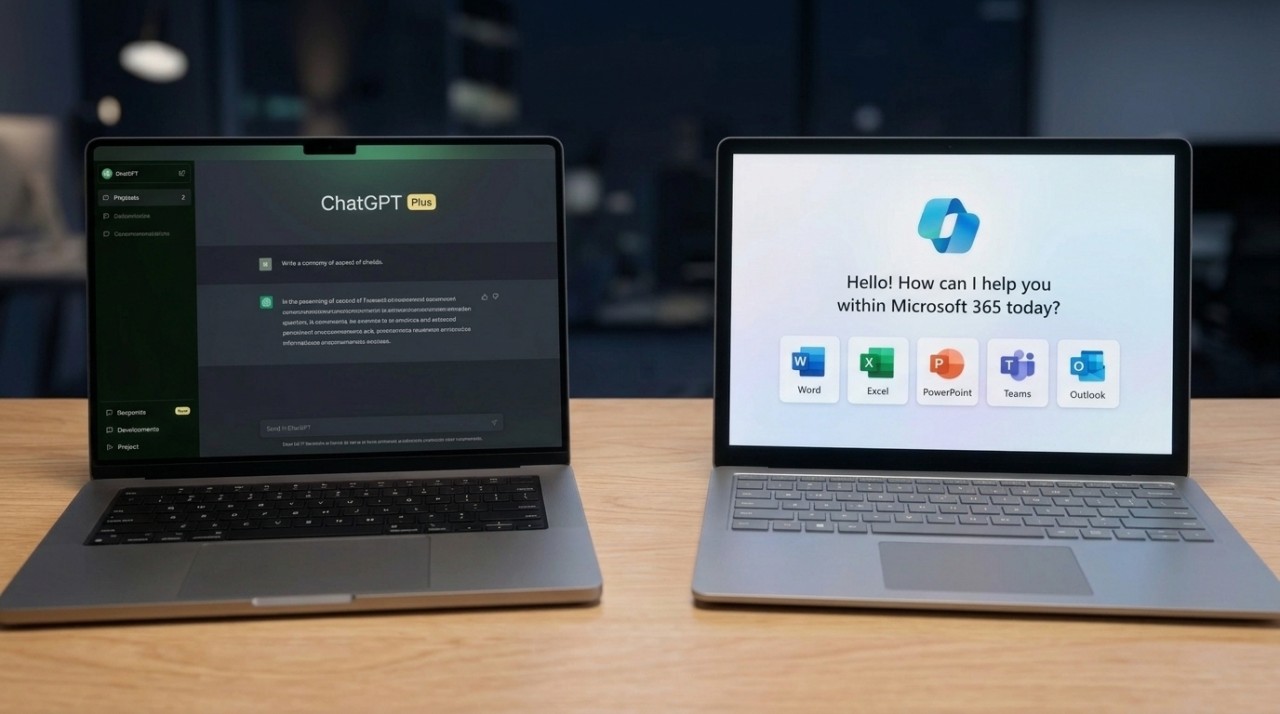
Microsoft already gets money out of my bank account for Word, Excel, and Outlook. Now Copilot is sitting inside those applications, offering to write documents, analyze spreadsheets, and rescue me when an email conversation gets completely out of hand.
Naturally, that raises an uncomfortable question for ChatGPT.
Why should anyone pay for another AI assistant when Microsoft 365 already includes one?
Microsoft Copilot and ChatGPT share some underlying AI technology, including models developed by OpenAI. Microsoft also uses models supplied by Anthropic and its own AI systems.
Yet similar technology doesn’t guarantee similar results. Integrations, available information, instructions, and subscription limits can make two assistants behave very differently.
For someone who spends most of the day working in Office, Copilot might be enough.
For researchers, writers, programmers, and people juggling several applications, ChatGPT could justify its additional cost.
Knowing which category you belong to is worth considerably more than another impressive AI demonstration.
In this article
Copilot vs ChatGPT – The Differences That Actually Matter
Choosing an AI assistant based solely on its underlying language model overlooks much of what makes it useful.
Copilot’s strongest advantage is its connection to Microsoft’s productivity software. ChatGPT concentrates more heavily on flexible conversations, file analysis, research, coding, and tasks involving multiple tools.
| Feature | Microsoft Copilot | ChatGPT |
| Biggest advantage | Integration with Microsoft 365 | Flexibility across tasks |
| Writing | Editing and summarizing inside Word | Detailed drafting, rewriting, and tone control |
| Spreadsheets | Assistance directly inside Excel | File analysis and supported Excel integration |
| Research | Web-grounded answers, with advanced research restricted by plan | Web search and advanced research tools |
| Files | Microsoft 365 and OneDrive integration | Uploaded documents and connected apps |
| Coding | General programming assistance | Coding tools and specialized programming workflows |
| Best fit | Office-centered work | Varied work across several tools |
An important technical distinction is grounding, meaning the information an AI system can access while producing an answer.
An assistant working directly inside Word can use the document you’re editing. Another assistant might need you to upload that document or grant access through an integration.
Even if both systems use related models, their answers can differ because they aren’t working with identical information.
ChatGPT has also entered Microsoft’s territory.
OpenAI introduced its ChatGPT for Word integration in September 2026, joining integrations for Excel and PowerPoint.
Users can work with ChatGPT in a Word sidebar, edit selected text, summarize documents, and reorganize content.
However, availability doesn’t mean unrestricted usage. ChatGPT’s Office add-ins have their own allowances and potential token-based charges, while administrators can restrict installation in managed workplaces.
Copilot has limitations of its own.
For example, Copilot in Excel on consumer Microsoft 365 plans requires AutoSave, meaning the workbook must be saved to OneDrive.
Microsoft confirms that restriction in its Copilot subscription FAQ.
Two sophisticated assistants can handle complicated calculations, yet one may refuse to cooperate until you’ve saved your spreadsheet in the correct place.
Apparently, finding the file is still part of being intelligent.
What Copilot Actually Includes With Microsoft 365

Microsoft 365 subscribers aren’t necessarily starting with the same AI package.
According to Microsoft’s October 2026 subscription documentation, Personal, Family, Premium, and Pro subscriptions include Copilot features, although allowances differ.
Microsoft 365 Basic does not include the same Copilot integration inside desktop Office applications.
Here’s how the consumer subscriptions compare:
| Microsoft 365 plan | What you get |
| Personal | Office applications, 1 TB of OneDrive storage, and included Copilot features |
| Family | Shareable Office and storage benefits, with included AI benefits restricted to the subscription owner |
| Premium | Higher AI allowances and advanced features, including Researcher and Analyst |
| Pro | Highest consumer AI allowances and expanded capabilities |
Sharing Microsoft 365 Family with five other people doesn’t mean sharing Copilot with them.
Microsoft explicitly restricts the included AI benefits to the subscription owner.
Family members can use the shared Office applications and eligible storage benefits, but they don’t automatically receive the same Copilot access.
Another complication involves Microsoft’s business products.
Consumer Copilot isn’t identical to a fully licensed Microsoft 365 Copilot used inside an organization.
Business Copilot can use organizational information, subject to licensing and permissions, through Microsoft’s workplace systems, including Microsoft Graph and Work IQ. Consumer subscriptions have their own account-based information access and restrictions.
A personal Microsoft 365 subscription won’t suddenly give Copilot access to your employer’s entire SharePoint environment.
Usage limits matter, too.
I Gave Copilot and ChatGPT the Same Tasks
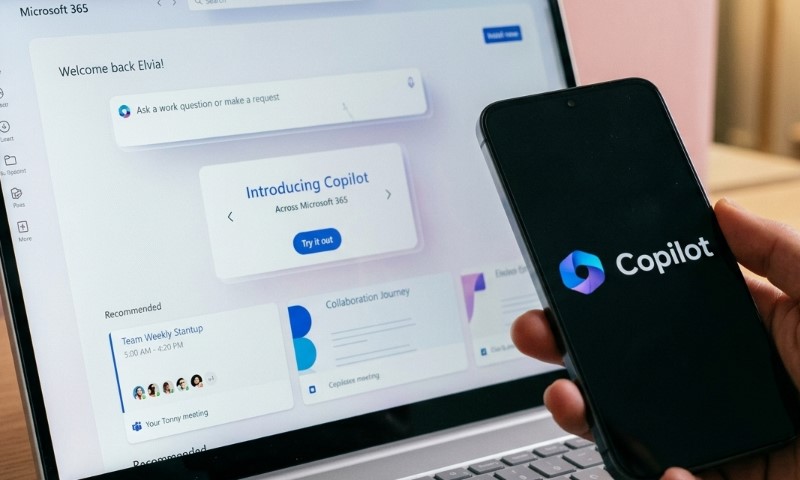
A fair Copilot vs ChatGPT comparison needs something more demanding than asking both assistants to explain photosynthesis.
Real work includes badly written documents, inconsistent spreadsheets, outdated sources, and email threads where nobody appears capable of making a decision.
Four controlled scenarios show how to evaluate their capabilities without confusing a convenient integration with superior AI performance.
No live, side-by-side output measurements are available for these scenarios, so the examples below describe reproducible tasks, documented product behavior, and what would establish a meaningful winner.
Writing in Word – Which One Makes a Messy Draft Better?
Imagine receiving a 900-word project update containing repeated paragraphs, unclear responsibilities, and three different descriptions of the same deadline.
Give both assistants identical instructions:
Reorganize this document into a 400-word executive summary. Keep all confirmed dates and figures, distinguish completed work from proposed actions, and use a professional but conversational tone.
Copilot can handle the request within Word, where the document is already available.
ChatGPT can process an uploaded document or work through its Word integration, subject to the relevant account’s access and usage allowances.
Actual writing quality needs to be judged separately from editing convenience.
A useful evaluation would check four things: factual accuracy, compliance with the requested tone, preservation of important details, and the amount of manual editing needed afterward.
ChatGPT’s extensive instruction-following options make it an attractive candidate for complicated writing assignments.
Copilot’s advantage is the ability to perform edits inside a familiar application without requiring a separate document-management process.
Neither advantage automatically establishes which assistant writes better.
Excel – Can They Both Handle a Real Spreadsheet?

Spreadsheets offer a better technical challenge because many mistakes have objectively correct answers.
Consider a monthly household budget with a $4,200 income, inconsistent expense categories, and one deliberately incorrect calculation.
| Category | Amount |
| Housing | $1,450 |
| Groceries | $520 |
| Utilities | $230 |
| Transportation | $310 |
| Subscriptions | $140 |
| Other expenses | $650 |
| Correct total expenses | $3,300 |
| Correct remaining income | $900 |
Suppose the spreadsheet incorrectly reports total expenses as $3,160.
Both assistants receive the same request to identify unusual expenses, calculate remaining income, and find errors.
A successful answer needs to catch the $140 discrepancy and calculate the correct $900 balance.
Copilot’s advantage is being embedded in Excel, where it can assist with workbook operations.
ChatGPT can analyze spreadsheet files and work with Excel through supported integrations.
However, neither system deserves credit merely for announcing that subscriptions look expensive.
Correct calculations matter more than polished commentary.
A proper test should inspect the formulas and ensure that any correction affects the intended cells without damaging other calculations.
One small technical detail can also change the comparison. Copilot’s OneDrive requirement means a local, unsaved workbook may need an additional preparation step before certain AI features become available.
For frequent Excel users, that inconvenience might be minor. For someone handling locally stored files under restrictive workplace policies, it could matter considerably.
Research – Which Assistant Checks Its Sources?
Research creates a different problem because an answer can sound correct while relying on irrelevant or outdated information.
A suitable question might ask both assistants to compare their currently advertised subscription benefits and identify any changes introduced during 2026.
Copilot uses web-grounded information, including Microsoft search infrastructure. ChatGPT offers web search and more extensive research capabilities, depending on the plan.
One recent product change makes the comparison particularly interesting.
Microsoft retired consumer Copilot’s previous Deep Research feature beginning August 18, 2026.
Microsoft 365 Premium subscribers can instead use Researcher, while Personal and Family subscribers don’t receive that advanced capability under the October 2026 plan comparison.
ChatGPT offers Deep Research, which can combine information across websites, uploaded files, and supported connected sources. Availability and usage limits depend on the subscription.
Neither product guarantees accurate research.
A citation should support the exact statement attached to it. A current webpage discussing AI subscriptions doesn’t automatically verify a specific price or product restriction.
For a meaningful comparison, check the publication date, locate the original claim, and confirm that the cited page actually contains the relevant information.
Outlook – Can Copilot Save You From a Long Email Thread?

Imagine an email conversation containing 27 messages about a delayed product launch.
One participant proposes November 4. Another suggests November 11. A manager eventually approves November 11, but only after a required technical review.
Ask both assistants to identify the agreed launch date, outstanding responsibilities, and unresolved issues.
Copilot has a natural advantage when it can access the relevant Outlook conversation under the user’s subscription and permissions.
ChatGPT needs equivalent message content, supplied manually or through an authorized connection.
A good answer must identify November 11 as the approved date while preserving the condition attached to that approval.
Confusing a proposed deadline with a final decision could cause more trouble than reading the original conversation.
For Office-heavy users, Copilot’s ability to work directly with available email content can eliminate unnecessary copying and switching.
ChatGPT becomes more interesting when that email conversation needs to inform work in other systems, such as generating a separate report, analyzing related files, or organizing a larger project.
Where Copilot Makes More Sense, and Where ChatGPT Earns Its Price
Neither assistant needs to win every task.
Subscription value depends on how frequently a tool solves problems you already encounter and how much effort it removes.
Stick With Copilot When Your Work Lives in Microsoft 365
Copilot makes considerable sense when your typical workday consists of Word documents, Excel spreadsheets, Outlook messages, and PowerPoint presentations.
Convenience becomes a serious advantage when repeated across dozens of small tasks.
Suppose an assistant saves four minutes on each of five routine tasks every working day.
Across 20 working days, that amounts to 400 minutes, or approximately six hours and 40 minutes monthly.
That’s an illustrative calculation, not a measured Copilot productivity result.
Still, it explains why integration matters.
Someone who regularly uses AI to polish emails, summarize documents, and review spreadsheets may gain more practical value through faster access than through slightly better standalone chatbot responses.
Copilot also avoids the immediate cost of an additional paid AI subscription for eligible Microsoft 365 subscribers.
Is ChatGPT Worth Another Monthly Subscription?
Subscription prices make the decision considerably easier to quantify.
Microsoft’s German pricing page confirms its listed Microsoft 365 monthly rates.
ChatGPT amounts are German-market prices reported for October 2026. Regional prices, taxes, promotions, and billing arrangements may differ.
Someone paying €10 monthly for Microsoft 365 Personal would spend €33 monthly after adding ChatGPT Plus.
That’s €396 annually, compared with €120 for Microsoft 365 Personal alone, assuming those monthly prices stay unchanged.
Adding ChatGPT Go instead would bring the combined monthly cost to €18, or €216 annually.
Microsoft 365 Premium costs €22 monthly in the same comparison, just €1 less than ChatGPT Plus by itself.
However, those subscriptions aren’t direct substitutes.
Microsoft 365 includes productivity applications and cloud storage. ChatGPT Plus doesn’t replace your Office license or automatically provide equivalent OneDrive storage.
A more useful approach is to calculate the extra subscription’s value against the time it saves.
Consider someone earning €30 an hour:
| Subscription | Monthly price |
| Microsoft 365 Personal | €10 |
| Microsoft 365 Family | €13 |
| Microsoft 365 Premium | €22 |
| ChatGPT Free | €0 |
| ChatGPT Go | €8 |
| ChatGPT Plus | €23 |
Saved time only translates into financial value when it can be used productively.
Also consider how much time an assistant creates through mistakes. An AI tool that saves 15 minutes drafting a report but requires 20 minutes correcting fabricated statistics hasn’t improved your productivity.
Privacy deserves attention before paying for additional access, too.
Microsoft states that prompts, responses, and document contents used with Copilot inside consumer Office applications are not used to train foundation models.
ChatGPT consumer accounts have separate training controls. OpenAI allows users to disable training through their data settings, while Business and Enterprise offerings exclude business content from model training by default.
Microsoft’s consumer Copilot privacy documentation and OpenAI’s business privacy commitments explain these distinctions.
Data handling isn’t identical across plans, and organizations should check their policies before uploading confidential files or connecting external services.
For occasional AI use, Copilot plus ChatGPT Free could be sufficient.
The Verdict is – Try Copilot Before You Pay for ChatGPT
Microsoft 365 subscribers should start by checking which Copilot features their existing plans actually include.
Use those features on a recurring task you already know how to evaluate.
A document that needs rewriting, a spreadsheet that needs checking, or an email conversation that needs summarizing provides a better basis for judgment than a carefully constructed demonstration.
For casual users, included Copilot and ChatGPT Free may handle most everyday requests without another bill.
Office-heavy users have a particularly good reason to prioritize Copilot, since direct integration can be more valuable than differences in chatbot responses.
Writers, researchers, and technical users may find that ChatGPT’s flexibility, specialized tools, and advanced capabilities justify another subscription.
Businesses should also consider data permissions, administrative controls, licensing, and how each assistant interacts with organizational information.
Ultimately, a paid ChatGPT subscription should solve a problem that your existing Microsoft 365 subscription doesn’t solve well enough.