
Ask ChatGPT to explain how a seven-speed bicycle works, and you might expect a few paragraphs about gears, chains, and brakes. Perfectly reasonable, although not particularly exciting.
With GPT-6, you can get something considerably more interesting: an interactive bicycle diagram with clickable sections for the frame, wheels, drivetrain, brakes, and cockpit. Select a component, and ChatGPT explains what it does.
Announced on October 7, 2026, OpenAI’s latest ChatGPT update introduces Intelligent UI, a feature designed to turn ordinary answers into interactive experiences.
More than 1.2 billion people use ChatGPT weekly, giving the technology an enormous potential audience.
One question is worth asking, though. Does making an AI answer interactive actually make it more useful, or are we just giving chatbots prettier buttons?
In this article
What Is GPT-6’s Intelligent UI?

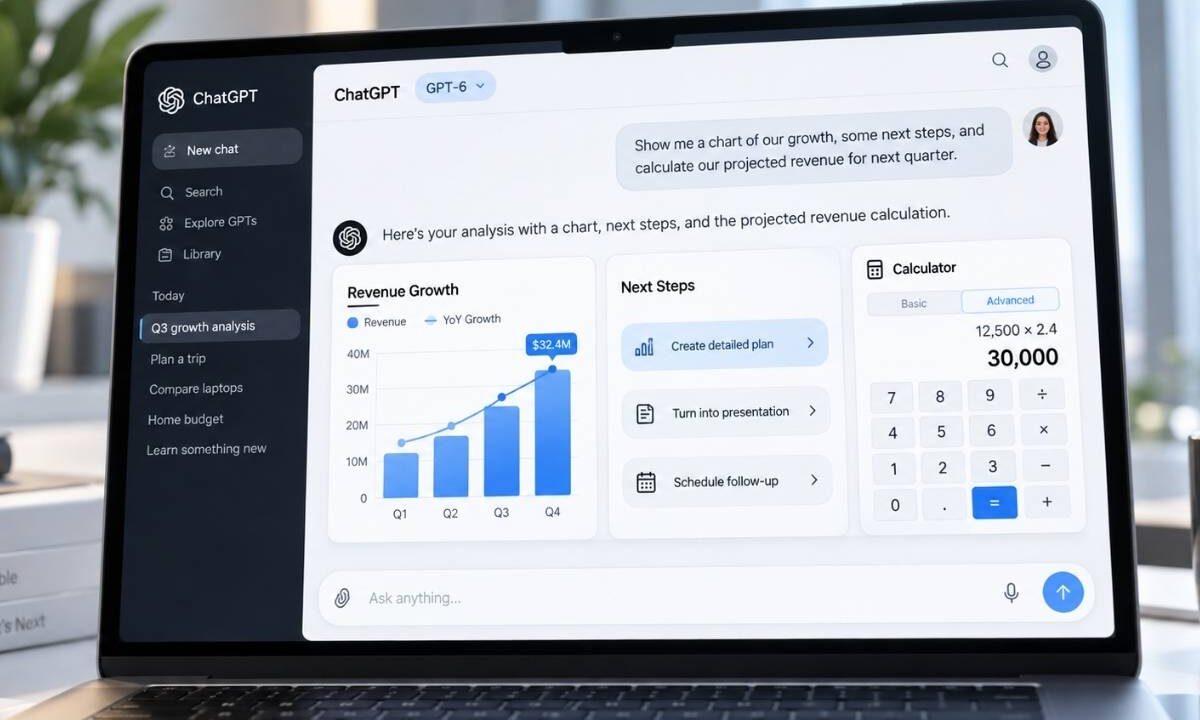
Intelligent UI allows GPT-6 to combine:
- Text
- Images
- Charts
- Diagrams
- Forms
- Clickable buttons within a single response
Instead of presenting every answer as paragraphs, ChatGPT can select a format that fits the question.
A financial question might produce an adjustable calculator. A technical explanation could include an interactive diagram. A comparison might appear as a side-by-side layout.
Behind the scenes, OpenAI has developed a library of native interface components and a compiler that displays them progressively as GPT-6 generates an answer.
Users don’t need special prompts to activate the feature.
GPT-6 decides when an interactive response might help, although you can specifically request a calculator, chart, or another tool.
For a closer look at how GPT-6’s Intelligent UI works in practice, check out the video below by Julian Goldie, especially from 1:05, where he explores how ChatGPT turns standard answers into interactive experiences.
Earlier updates laid some groundwork. Interactive modules covering more than 70 math and science topics arrived in March 2026, followed by interactive charts in June.
Intelligent UI takes that approach further by allowing users to modify inputs and examine different outcomes without repeatedly asking ChatGPT to generate another answer.
What Can You Actually Do With It?
OpenAI’s demonstrations provide a reasonable picture of where Intelligent UI could become useful.
Consider splitting a restaurant bill among friends. Instead of explaining the arithmetic, ChatGPT can generate a calculator where you adjust each person’s share.
Retirement planning offers another example. An interactive calculator lets users change contributions and assumptions to see how projected savings respond. Educational applications are arguably more interesting.
GPT-6 can explain the Monty Hall probability problem through an interactive experience, demonstrate bicycle mechanics, or help someone learn Mahjong using visual tiles.
Everyday planning gets similar treatment. Road-trip stops can appear on a map, while a Sunday roast recipe can include adjustable shopping quantities based on the guest count.
Planning is particularly interesting because AI assistants can approach the same request quite differently.
Comparison of three AI tools planning the same trip I did examines that problem. GPT-6 adds another possibility: instead of simply reading an itinerary, users can interact with the suggested stops directly on a map.
Anyone who has planned dinner for eight people and suddenly discovered that eleven are coming can appreciate that last one.
Practical value comes through experimentation. Instead of requesting five separate calculations, users can adjust one interface and compare the results immediately. Still, these are product demonstrations, not independent evidence that every generated tool performs reliably.
GPT-6 Is Also Faster

Interactive interfaces aren’t the only improvement arriving with GPT-6.
According to OpenAI’s performance evaluations, GPT-6 Instant begins answering questions requiring web searches 44% sooner on average than GPT-5.6 Instant.
Notice the wording: begins answering.
That figure measures how quickly a response starts, not how long ChatGPT takes to finish everything.
GPT-6 can alternate between reasoning and responding, providing useful information while continuing to process the request. Additional findings and interface elements can appear progressively.
Another internal evaluation found that GPT-6 Extra High started answering approximately as quickly as GPT-5.6 Medium while achieving a higher overall score than GPT-5.6 Extra High.
OpenAI also reports improvements in deciding when web searches are necessary and finding information that supports its answers.
Those results are encouraging, although they come through company evaluations rather than independent testing. Starting an answer faster is useful. Finishing it correctly would be even better.
Who Can Use GPT-6?
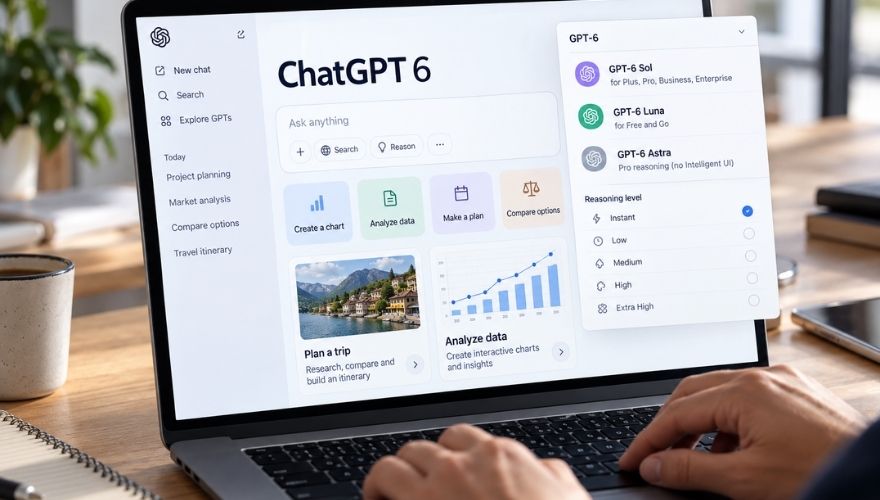
GPT-6 began rolling out globally to Plus, Pro, Business, and Enterprise subscribers on October 7, 2026, with Free and Go access beginning October 8.
Paid subscribers receive GPT-6 Sol, while Free and Go users receive the more efficient GPT-6 Luna.
Intelligent UI is available in ChatGPT’s Chat tab on the web and supported updated apps, using available reasoning settings ranging between Instant and Extra High. Some limitations matter.
Pro reasoning, powered by GPT-6 Astra, doesn’t support Intelligent UI. Older macOS and Windows desktop applications also lack support, while Enterprise availability depends on administrator settings.
No separate Intelligent UI quota applies, although existing subscription and tool limits still matter.
Of course, getting more interactive features doesn’t automatically make a paid subscription worthwhile. Someone using ChatGPT only a couple of times a week might find the free version perfectly adequate.
We’ve already looked at whether an AI subscription is worth paying for twice a week, and GPT-6 adds another consideration to that calculation: how often will you actually use these new tools?
Users who prefer conventional responses can reduce visual elements through the Layout and visuals setting. However, disabling that option doesn’t guarantee an entirely text-only experience.
More Than a Chatbot, but Not Quite an App Replacement
Intelligent UI points toward a different approach to software.
Instead of navigating a dedicated application for every small task, users could describe what they need and receive an interface built around that request.
Simple calculators, comparison tools, and visual explanations could eliminate some visits to separate websites.
Replacing established applications, however, requires more than producing convincing controls. Reliability, transparency, and consistent behavior matter considerably more when someone starts depending on a tool.
GPT-6 makes ChatGPT answers more flexible and potentially more practical, particularly for learning, planning, and experimenting with different scenarios.